
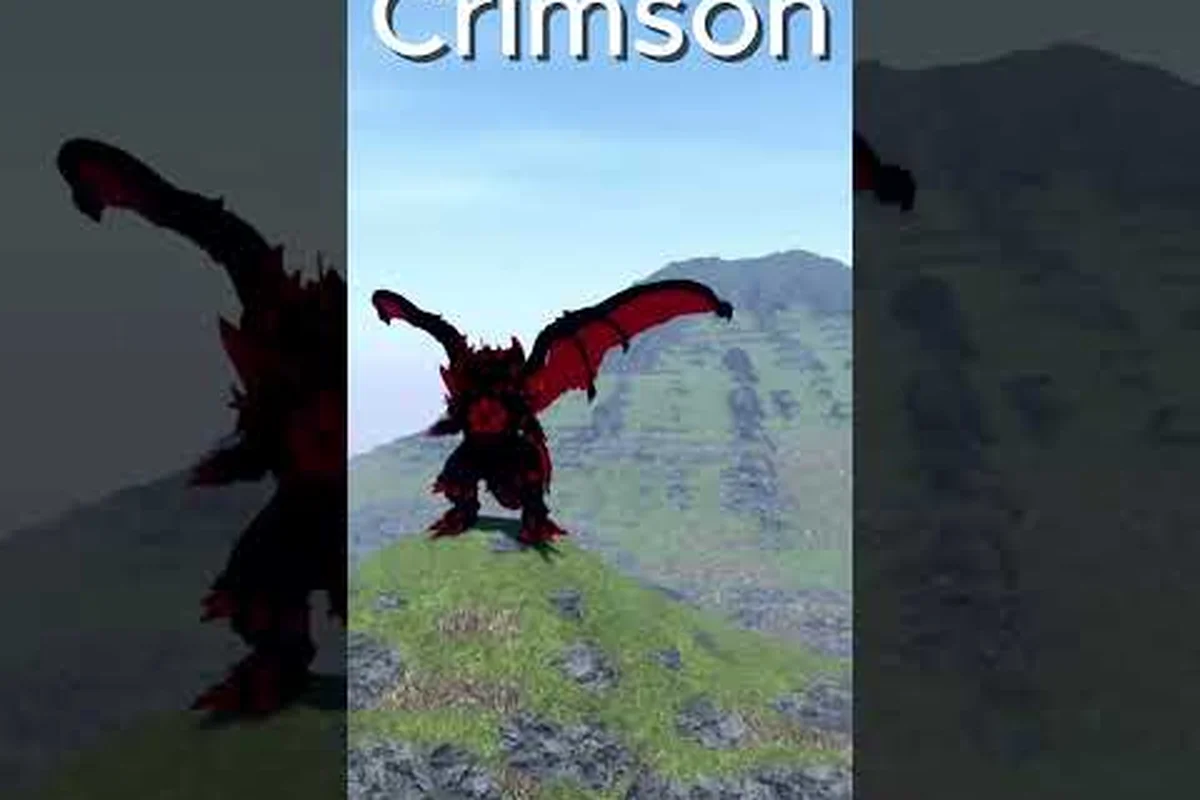
Getting a kaiju alpha free recolor before the official recolor system was fully polished is one of the most-shared tricks in the community, and it lets you re-skin certain kaiju without spending a single Robux. Update 49 added a real Inventory tab where the recolor actually lives, so the early glitch and the modern system now work side by side. This guide covers the working recolor glitch for Glowing kaiju, shows you how to open the new Inventory, and walks you through exactly how to equip kaiju skins once they land in your account.
What the Free Recolor Glitch Actually Does
The early kaiju alpha free recolor trick is a visual exploit, not a paid unlock. Community testing shows it only fires on Glowing kaiju (Godzilla variants that have a built-in emissive texture), and it lets you paint those kaiju in a red palette similar to the Burning recolor without buying the gamepass. Players reported the method back in early builds, and it has stayed relevant because it works on a category of kaiju that most players already own.
| Attribute | Glowing Kaiju (eligible) | Standard Kaiju (not eligible) | Burning recolor (paid reference) |
|---|---|---|---|
| Eligibility for free recolor glitch | Yes (exploit fires) | No (no emissive texture to override) | N/A (paid gamepass, no exploit needed) |
| Visual result | Red palette similar to Burning recolor | Default texture unchanged | Red palette (canonical) |
| Cost to obtain | Free (exploit) | N/A | Robux gamepass |
| Source of emissive texture | Built-in Glowing texture on Godzilla variants | None | N/A |
How the Trick Was Discovered
The glitch was first documented by content creators who noticed the recolor color slider inside a hidden sub-menu. According to community data, the slider was never meant to be reachable from the main kaiju select screen, but a misconfigured button on Glowing variants left a debug path open. The most-walked tutorial of the method was published by GomoraSolosAll's early recolor glitch video, which shows the timing window players need to hit.
Why It Only Works on Glowing Kaiju
The recolor shader path is bound to the emissive texture channel, which only Glowing kaiju use. That is why standard kaiju cannot be recolored through this method. The list of confirmed-working kaiju has shifted across patches, but community reports from 2026 still list several Burning-class and original-era Glowing kaiju as compatible. Always re-check on a free kaiju before spending Cells on a suspect target.
Risk and Patch Status
Because it is a debug path, the method can break after any client update. Nerdious Momentos' coverage of the Kaiju Alpha remake roadmap shows that the team is actively rebuilding core menus, so the glitch window is expected to close at some point. Treat the recolor as a "use it while it lasts" bonus rather than a permanent unlock.
Opening the Inventory in Kaiju Alpha
Before you can do anything with a recolor — glitched or paid — you need to know how to reach the Inventory tab. Update 49 introduced the menu, and it is the only place where the recolor officially lives today. If you have never opened it, the first attempt feels hidden because the button is small and sits in a side panel.
Step-by-Step Inventory Access
The fastest path is to spawn into a server, then look at the left edge of your screen for the vertical icon bar. According to community testing, the Inventory button sits in the second row and looks like a small backpack. The full sequence is:
-
Spawn into any city server (free or paid kaiju both work).
-
Look at the left-side icon bar, not the top HUD.
-
Click the backpack icon to open the Inventory tab.
-
Switch to the Skins sub-tab inside the Inventory window.
If the backpack icon is missing from the left icon bar after spawning in, the UI overlay sometimes fails to populate on first load — closing and reopening the Inventory window, or performing a single server hop to a different kaiju alpha server, forces the client to rebuild the left HUD widget stack and restores the backpack entry. Players testing the free recolor workflow on both free and paid kaiju maps confirm the icon reappears without a full game relaunch, so you can stay in-session and resume equipping your kaiju skin right away.
What Lives Inside the Inventory
Once the panel is open, you will see three core sub-tabs: Kaiju, Skins, and Cosmetics. The Kaiju tab lists every creature your account owns, free and paid. The Skins tab is where recolors, limited event skins, and gamepass skins are stored. The Cosmetics tab holds trails, auras, and small visual accessories that do not change the kaiju body itself. The recolor you earn through the glitch will appear in the Skins tab as soon as you finish the trick.
Common Inventory Bugs
A handful of players have reported that the Inventory opens but the Skins tab stays empty even after a confirmed recolor. According to community reports, this is almost always a client-cache issue, not a missing item. The standard fix is to leave the server, wait roughly 30 seconds, and rejoin. If the skin still does not show, fully close the Roblox client and reopen it. Do not contact support for recolor items tied to the glitch, because those will not appear in their logs.
How to Equip a Kaiju Skin (Including the Free Recolor)
Learning how to equip kaiju skins in the new system is the part that trips up most new players. The old method was to right-click a kaiju and pick a recolor, but the Inventory has replaced that flow. Every recolor — free glitch, paid gamepass, or event reward — is now applied through the same two-click path.
The Two-Click Equip Method
Once the Skins tab is open, find the recolor you want. Hover over the skin card and you will see a small Equip button. Click it, then immediately switch back to the Kaiju tab and select the matching kaiju from the list. The recolor paints the moment the kaiju loads into the world, so you will see the new palette in roughly two seconds. If you swap kaiju later, the recolor stays bound to the original creature, not your account.
Switching Skins Mid-Server
You can swap recolors without leaving the server, which is useful for testing color combos. Open the Inventory, pick a different skin in the Skins tab, and press Equip. The model swaps texture in place, with no respawn cooldown. Players often use this trick to test the Burning recolor against the glitched red recolor side by side before deciding whether to buy a gamepass.
Why Some Skins Will Not Equip
A small number of skins are locked behind kaiju you do not own. If the Equip button is grayed out, hover over the skin card and read the small text below the name. It will list the required kaiju. The free recolor glitch only unlocks the visual palette, not the kaiju itself, so you still need the Glowing base kaiju in your collection before the recolor can be equipped. The kaiju alpha free kaiju guide has a full list of the free base kaiju you can start with.
Kaiju Alpha Skins Guide: Free vs Paid Recolor Comparison
The kaiju alpha skins guide landscape splits into three tiers: glitched free recolors, paid recolor gamepasses, and limited event skins. Each tier has trade-offs in price, exclusivity, and compatibility. The table below compares them at a glance so you can decide where to spend your Robux and where to lean on the free trick.
| Skin Type | Cost | Compatible Kaiju | Exclusivity | Patch Risk |
|---|---|---|---|---|
| Glitched Free Recolor | 0 Robux | Glowing kaiju only | Low — anyone can do it | High — may be patched |
| Burning Recolor Pass | Mid-tier Robux | Selected Glowing kaiju | Medium | Low — official unlock |
| Legendary Recolor Pass | High-tier Robux | Most kaiju in roster | High | None — server-side |
| Limited Event Skin | Earned via event | Event-specific kaiju | Very high | None — permanent |
How the Gamepass Tiers Stack Up
Most players who want a permanent recolor end up buying the Burning-tier pass first because it is cheaper and still works on the popular Glowing kaiju. The Legendary pass is the better value if you main a non-Glowing kaiju, because the free glitch never covers those. Limited event skins, such as the red Godzilla Hide and Seek reward, are the rarest of all, and they cannot be bought with Robux at any price once the event window closes.
Gamepass Comparison Snapshot
The table below maps the practical kaiju alpha gamepass comparison between the two main paid recolor options plus the free glitch, giving players a single read on cost, permanence, and which kaiju Inventory slots each option actually applies to. It is built from community-reported pricing and the equip behavior observed in Update 49, so the figures reflect what players see when they try to use the recolor on a free Glowing kaiju versus a paid variant — a key distinction many beginners miss when they first attempt to swap skins.
| Option | Approx. Robux | Permanent? | Works on Free Kaiju? | Worth It For |
|---|---|---|---|---|
| Early Recolor Glitch | 0 | Until patched | Only Glowing free kaiju | Players testing the look |
| Burning Recolor Pass | ~250–400 | Yes | No — Glowing paid kaiju | Long-term Burning mains |
| Legendary Recolor Pass | ~600–900 | Yes | Most kaiju | Multi-kaiju players |
The numbers above are community-reported and can shift between patches. Treat them as a planning range, not a fixed price sheet. If you only own free kaiju and you are not ready to spend Robux, the glitch is currently the only path to a recolor visual. For a deeper look at value across the entire shop, the kaiju alpha how much are gamepasses breakdown has a wider price tier list.
Step-by-Step: Doing the Early Recolor Glitch in 2026
Even with the new Inventory, the original timing-based glitch still works on compatible kaiju. The exact input sequence is short, but the window is tight, so practice on a free Glowing kaiju first. The walkthrough below reflects what community-tested guides show in mid-2026 builds.
Prep Before You Start
Pick a server with low player count so the UI is less crowded. Bring the Glowing kaiju you want to recolor — do not try the trick on a kaiju that has a default skin, because it will not fire. Make sure your ping is stable, because the glitch depends on a precise input window and lag will close the timing. Also clear any keybind conflicts; if your sprint key overlaps the debug input, the method will silently fail.
The Input Sequence
The standard sequence reported by community testing is a precise four-input frame-locked combo that must be executed with the Glowing kaiju already equipped, because the game only registers the debug button as a recolor trigger when the inventory state matches a specific kaiju ID hash.
-
Spawn with the Glowing kaiju equipped.
-
Open the kaiju select menu, but do not pick a kaiju yet.
-
Hold the secondary action key (default: E) and click the corner debug button at the same time.
-
Release both inputs within the same frame, then click the kaiju card.
If the recolor slider pops up, you have the timing. Drag it to the red end of the palette and confirm. The kaiju will load with the new color, and the recolor will appear under your Skins tab. If the slider does not pop up, leave the kaiju select menu and try again — the input is per-attempt, not saved across tries.
Saving the Recolor
After the slider confirms, do not leave the server immediately. Open the Inventory, switch to the Skins tab, and confirm the recolor is listed. Players who quit too fast sometimes lose the recolor because the save handshake only commits after the next server tick. According to community testing, waiting about 20 seconds in the server before leaving is enough to lock the recolor in.
If the Glitch Fails
There are three usual culprits when the trick does nothing. First, the kaiju is not Glowing — only emissive-textured variants respond. Second, your inputs are out of sync by a frame or more. Third, the current patch has closed the debug path. The first two are fixable; the third means you will need to wait for a new community method to surface. The Spanish-language walkthrough by anguirus gamer insani also notes that several older Burning-class kaiju have been silently patched out of the method, so always re-verify on a free kaiju first.
What to Do After You Have a Recolor
Once the recolor is in your Skins tab, it is worth thinking about how to actually use it well. Recolor is a visual layer, so it does not change damage, ability cooldowns, or the five-skill combat bar. But it does change how other players see you in PvP city arenas, and that affects targeting decisions in Boss fights and Tournament Battle matches.
Pair the Recolor with a Strong Kaiju
A recolor looks best on a kaiju you actually play, not one that sits in your collection. If you main a Glowing Godzilla, the Burning-red recolor is a strong thematic match and signals to teammates that you are running a heavy-build variant. If you main a faster kaiju, consider a darker recolor that hides your silhouette in the city. The kaiju alpha all abilities reference has a good breakdown of which kaiju lean into which playstyle, so you can match the recolor to the role.
Daily Quest and Limit Break Synergy
Recolors do not count toward daily quest progress, but they do count as Cosmetics unlocks for the Limit Break system on each kaiju. A kaiju that has a recolor applied unlocks an extra passive slot at level 200, which is the long-term payoff for cosmetic collectors. Players who want the Limit Break benefit should pick a recolor they will keep, not chase a new one every patch.
Avoid These Beginner Mistakes
The most common mistake is treating the free recolor as a permanent unlock and not realizing the patch risk. The second most common mistake is trying to apply the recolor before opening the Inventory, which causes the new Skins tab to stay empty even though the trick technically worked. A third mistake is binding the recolor to a kaiju you never play — once the recolor is bound, swapping it costs a second Equip, and some players burn through Skins tab charges without realizing it. If you want a clean starting setup, the kaiju alpha beginner guide covers the safe early-game path.
Frequently Asked Questions
Does the kaiju alpha free recolor glitch still work in 2026?
Yes, but only on Glowing kaiju and only when the current client has not closed the debug path. According to community testing, the method has survived several patches, though specific kaiju have been quietly patched out. Always re-test on a free kaiju before relying on the trick for a paid kaiju.
How do I open the Inventory in Kaiju Alpha?
Spawn into any server and click the backpack icon on the left-side vertical menu. The Inventory opens to a Kaiju tab, and the recolor lives in the Skins sub-tab. If the icon is missing, a single server hop or a full client restart will bring it back.
How do I equip a kaiju skin after the glitch?
Open the Inventory, switch to the Skins tab, hover the recolor card, and click Equip. Then switch to the Kaiju tab and pick the matching kaiju. The recolor paints in roughly two seconds and stays bound to that kaiju until you swap it.
Can I use the free recolor on non-Glowing kaiju?
No. The early recolor glitch is bound to the emissive texture channel, which only Glowing kaiju use. If you want a recolor on a standard kaiju, you need to buy one of the paid recolor gamepasses. The Legendary-tier pass is the one that covers the widest roster.
Is the free recolor worth it compared to the paid gamepass?
It depends on how long you plan to keep the kaiju and how much you trust the patch window. The free glitch is the better choice for short-term testing, while the paid gamepass is the safer long-term unlock because it is server-side and cannot be patched out. The Burning-tier pass is the typical first purchase for most players.